arduino_adxl345
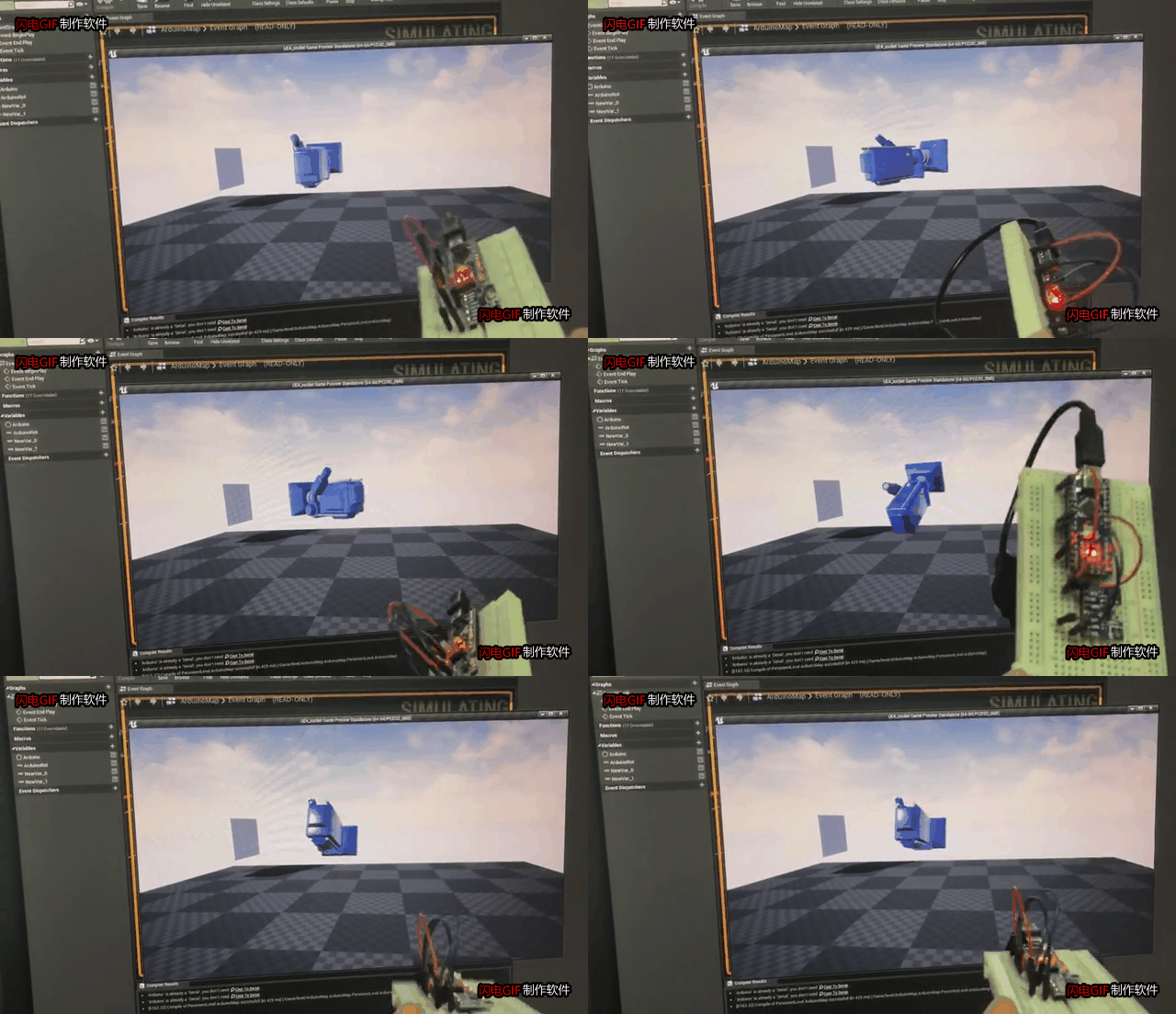
1 使用硬件
ardunio adxl345 面包板 杜邦线
2 线路连接
| arduino | adxl345 |
|---|---|
| 3v3 | vcc |
| GND | GND |
| A4 | SDA |
| A5 | SCL |

3 arduino代码
#include <Wire.h>

#define DEVICE (0x53)      //ADXL345 device address
#define TO_READ (6)        //num of bytes we are going to read each time (two bytes for each axis)

byte buff[TO_READ] ;        //6 bytes buffer for saving data read from the device
char str[512];              //string buffer to transform data before sending it to the serial port
int regAddress = 0x32;      //first axis-acceleration-data register on the ADXL345
int x, y, z;                        //three axis acceleration data
double roll = 0.00, pitch = 0.00;       //Roll & Pitch are the angles which rotate by the axis X and y
//in the sequence of R(x-y-z),more info visit
// https://www.dfrobot.com/wiki/index.php?title=How_to_Use_a_Three-Axis_Accelerometer_for_Tilt_Sensing#Introduction

void setup() {
  Wire.begin();         // join i2c bus (address optional for master)
  Serial.begin(9600);  // start serial for output

  //Turning on the ADXL345
  writeTo(DEVICE, 0x2D, 0);
  writeTo(DEVICE, 0x2D, 16);
  writeTo(DEVICE, 0x2D, 8);
}

void loop() {

  readFrom(DEVICE, regAddress, TO_READ, buff); //read the acceleration data from the ADXL345
                                              //each axis reading comes in 10 bit resolution, ie 2 bytes.  Least Significat Byte first!!
                                              //thus we are converting both bytes in to one int
  x = (((int)buff[1]) << 8) | buff[0];
  y = (((int)buff[3])<< 8) | buff[2];
  z = (((int)buff[5]) << 8) | buff[4];

  //we send the x y z values as a string to the serial port
//  Serial.print("The acceleration info of x, y, z are:");
//  sprintf(str, "%d %d %d", x, y, z);
//  Serial.print(str);
//  Serial.write(10);
  //Roll & Pitch calculate
  RP_calculate();
//  Serial.print("Roll:"); Serial.println( roll );
//  Serial.print("Pitch:"); Serial.println( pitch );
//  Serial.println("");

//  Serial.print("Roll:"); Serial.println( roll );
//  Serial.print("Pitch:"); Serial.println( pitch );
//  Serial.println("");

  char xyz[30]={0};
  char   x[6];
  dtostrf(roll,1,2,x);
  char   y[6];
  dtostrf(pitch,1,2,y);
  char   z[6];
  dtostrf(0.0f,1,2,z);
  strcat(xyz,"P=");
  strcat(xyz,x);
  strcat(xyz,",Y=");
  strcat(xyz,y);
  strcat(xyz,",R=");
  strcat(xyz,z);
  Serial.println(xyz);
  //It appears that delay is needed in order not to clog the port
  delay(50);
}

//---------------- Functions
//Writes val to address register on device
void writeTo(int device, byte address, byte val) {
  Wire.beginTransmission(device); //start transmission to device
  Wire.write(address);        // send register address
  Wire.write(val);        // send value to write
  Wire.endTransmission(); //end transmission
}

//reads num bytes starting from address register on device in to buff array
void readFrom(int device, byte address, int num, byte buff[]) {
  Wire.beginTransmission(device); //start transmission to device
  Wire.write(address);        //sends address to read from
  Wire.endTransmission(); //end transmission

    Wire.beginTransmission(device); //start transmission to device
  Wire.requestFrom(device, num);    // request 6 bytes from device

  int i = 0;
  while(Wire.available())    //device may send less than requested (abnormal)
  {
    buff[i] = Wire.read(); // receive a byte
    i++;
  }
  Wire.endTransmission(); //end transmission
}

//calculate the Roll&Pitch
void RP_calculate(){
  double x_Buff = float(x);
  double y_Buff = float(y);
  double z_Buff = float(z);
  roll = atan2(y_Buff , z_Buff) * 57.3;
  pitch = atan2((- x_Buff) , sqrt(y_Buff * y_Buff + z_Buff * z_Buff)) * 57.3;
}
4 ue4 plugin
https://github.com/RVillani/UE4Duino
UE4Duino解压到项目文件夹plugins中

5 蓝图连接


6 验证结果
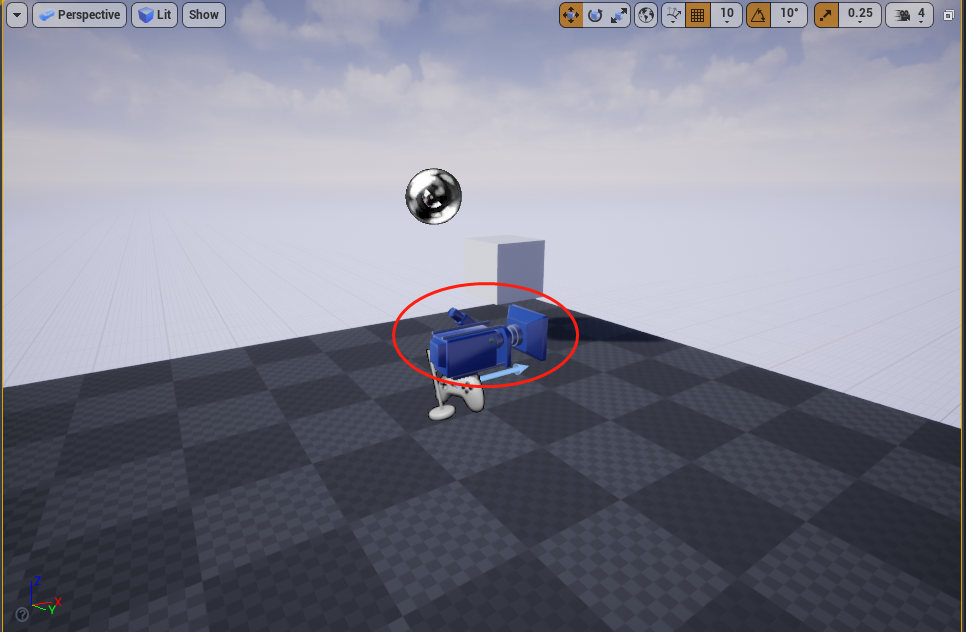
摄影机跟着adxl345一起运动
7 总结
1 adxl345 传感器数据不稳定,产生抖动
2 缺少一个轴向
3 使用欧拉角产生极向量反转